Electronics design for coding agents
PCB design as text your agent can edit
Schematics, layouts and simulations are plain TOML files. agentee checks every edit against your fab’s rules and says what to change, draws the board, solves impedance, runs FDTD and thermal sims on the GPU, and writes the Gerbers.
curl -fsSL https://agentee.sh/install.sh | sh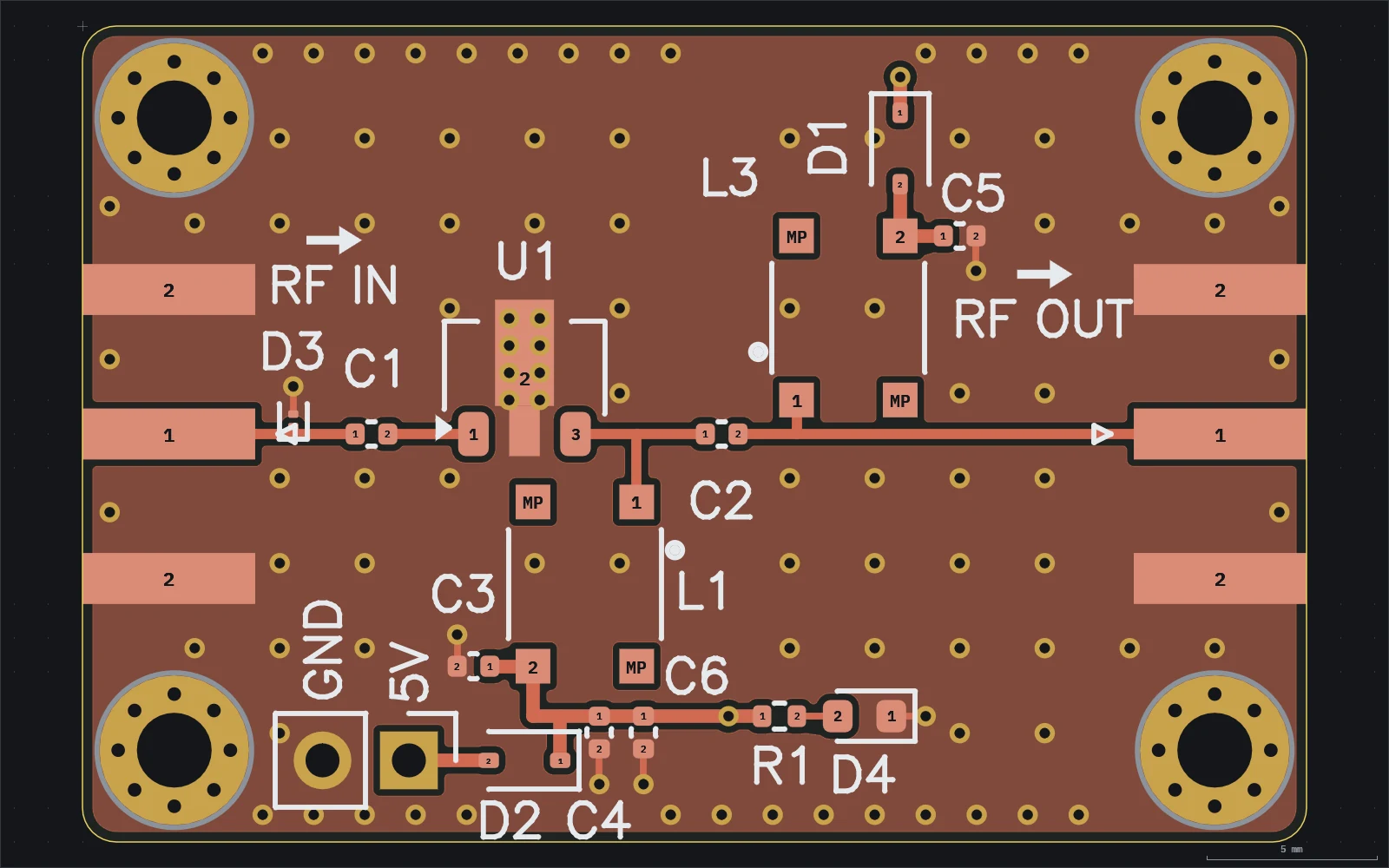
Every change goes round the same loop
There is no editor state to keep in sync. The files are the design, so the agent works on them with the tools it already has, and agentee answers in a form it can act on.
Edit
The agent changes one file, usually through
agentee edit, which writes the TOML for it, keeps the comments and refuses a pin or net that does not exist.agentee edit sch lna net RF_OUT C2.2 J2.1 L3.1 --class RFCheck
Every diagnostic names the file, the item and the place. Most say what value would pass, so the next edit is the fix.
agentee check --item pcb:lnaLook
A PNG of the board exactly as the viewer draws it. A passing check can still hide crowded silk or a detour in a track.
agentee render pcb:lna -o lna.pngMeasure
The resolved model as JSON: pin positions, net lengths and delays, solved trace widths per layer, sim readings.
agentee show pcb:lna
A project is a directory of TOML
Six kinds of file, loaded by suffix. Unknown keys are errors, so a typo is reported rather than ignored. Bare numbers are millimetres; anything else carries its unit.
*.board.toml
Fab preset, stackup, outline, via types and net classes with impedance and current targets.
[[netclasses]]
name = "RF"
impedance = "50ohm"
coplanar_gap = "0.2mm"
solver = "field"
*.sym.toml
A schematic symbol, hand placed or generated from per-side pin lists. Most come from KiCad.
[[pins]]
number = "2"
name = "GND"
type = "power_in"
side = "bottom"
*.fp.toml
A footprint, with rows of pads written once with a count and a pitch.
[[pads]]
number = "1"
kind = "smd"
size = [1.95, 0.6]
count = 4
pitch = [0, 1.27]
*.sch.toml
Placed parts and nets as lists of pins. Leave the wires out and agentee routes them.
[[nets]]
name = "RF_OUT"
class = "RF"
pins = ["C2.2", "J2.1", "L3.1"]
*.pcb.toml
Placements, tracks, vias, zones and silk, checked for connectivity and clearance on every load.
[[tracks]]
net = "RF_OUT"
layer = "F.Cu"
points = [[19.28, 12.0], [30.92, 12.0]]
*.sim.toml
A simulation of the layout or the schematic: FDTD, cascade, channel, PDN, DC drop, thermal or logic.
name = "lna-rf"
layout = "lna"
[frequency]
start = "50MHz"
stop = "6GHz"
Check knows the fab
Run it after every edit. It exits 1 on errors, so it fits in a loop or in CI, and it names a value that passes wherever there is one.
- 86 layout rules
- Shorts, clearances and unrouted nets, but also via-in-pad fill, tombstoning, ceramic capacitors in the flex zone, starved thermals, mask webs, silk over pads and probe access for test.
- 864 real stackups
- Every JLCPCB impedance build from 4 to 20 layers and the PCBWay standard builds, by the fab’s own code, with the thickness and permittivity of each layer.
- The fab’s own limits
- The JLCPCB preset follows the capability page line by line and scales with the layer count and copper weight. Where agentee is stricter, the reference says why.
- Impedance, solved
- Closed forms for a first answer, a GPU field solver with mask and copper thickness for the classes that matter. Within 0.5% of exact stripline references.
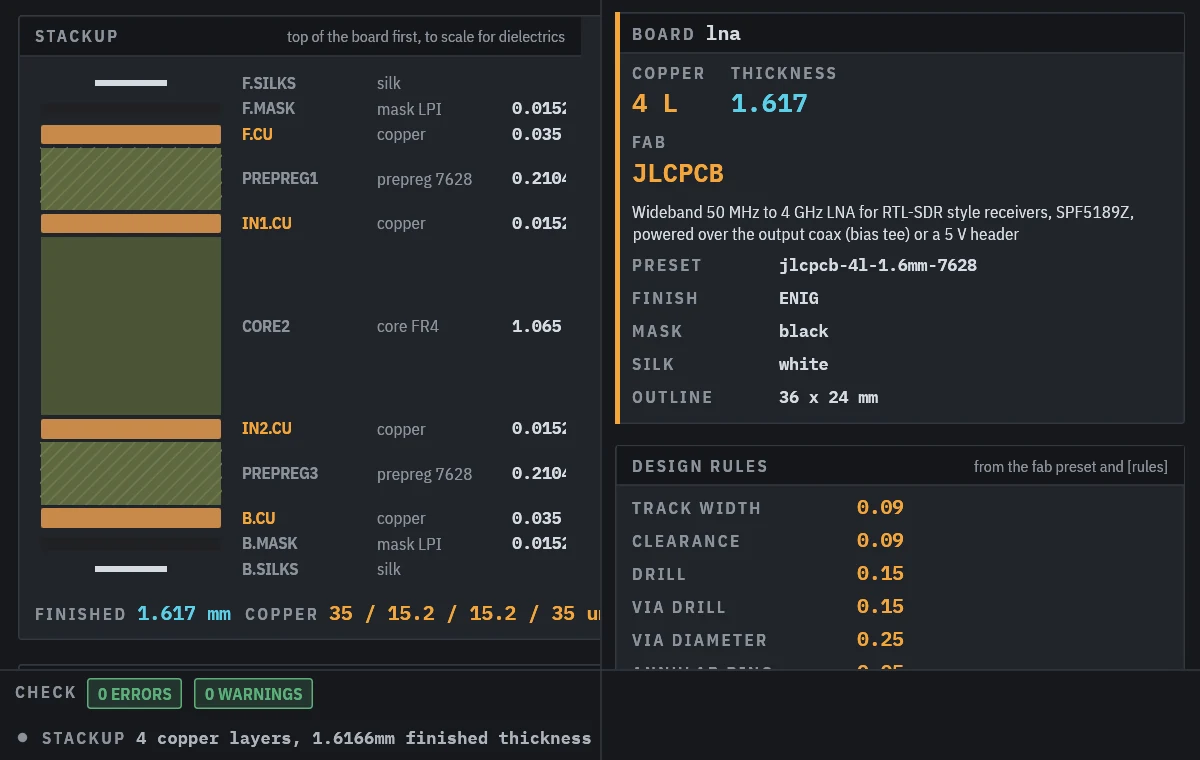
agentee render board:lnaSimulate before you order
Each *.sim.toml is a run with a kind. The solvers run through wgpu on Vulkan, Metal or DirectX 12, write their results next to the spec, and check warns when a result goes stale.
FDTD
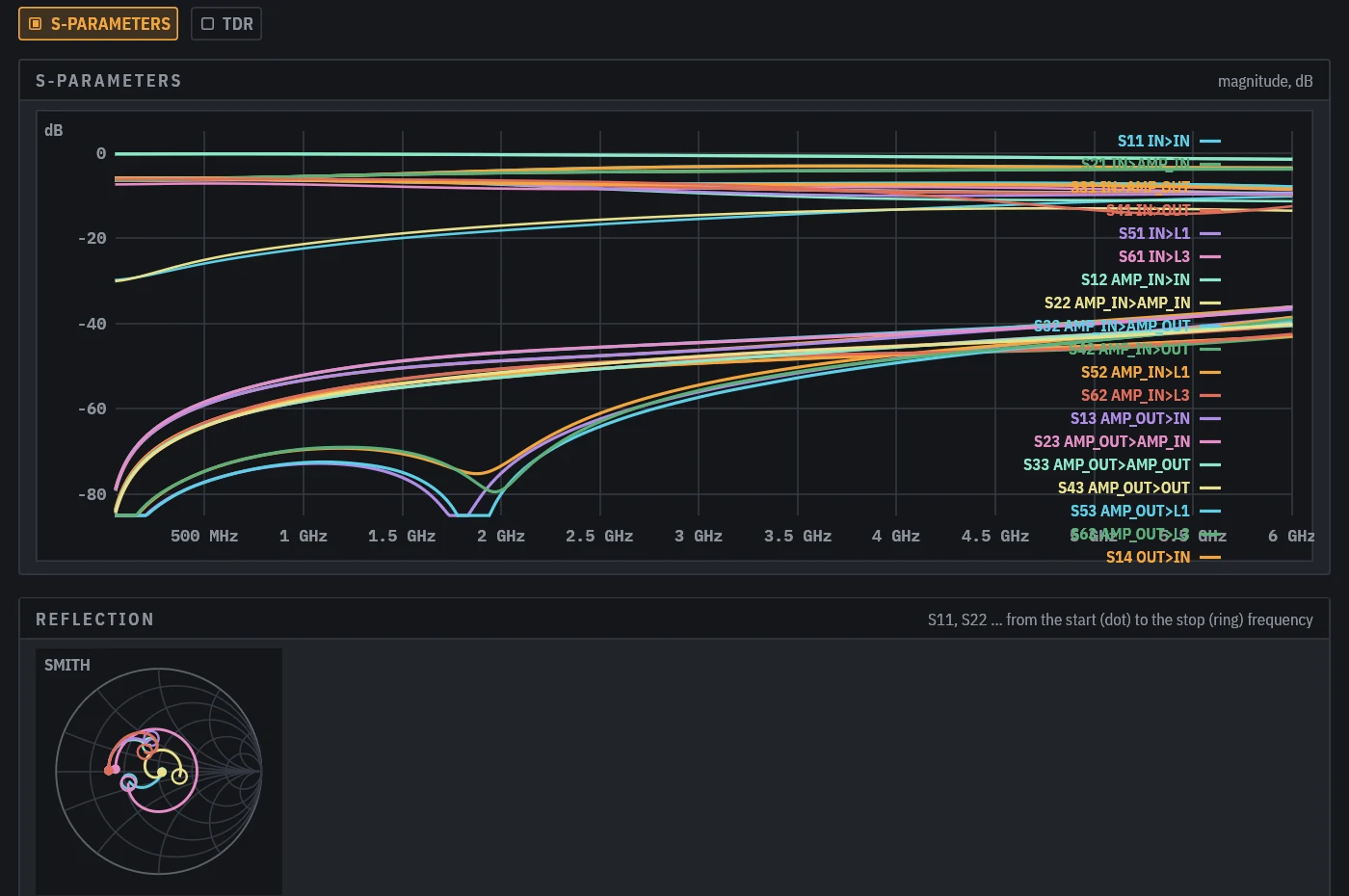
A full-wave 3D run of the layout on the GPU, with lumped ports on pads, giving S-parameters as JSON and Touchstone.
Cascade
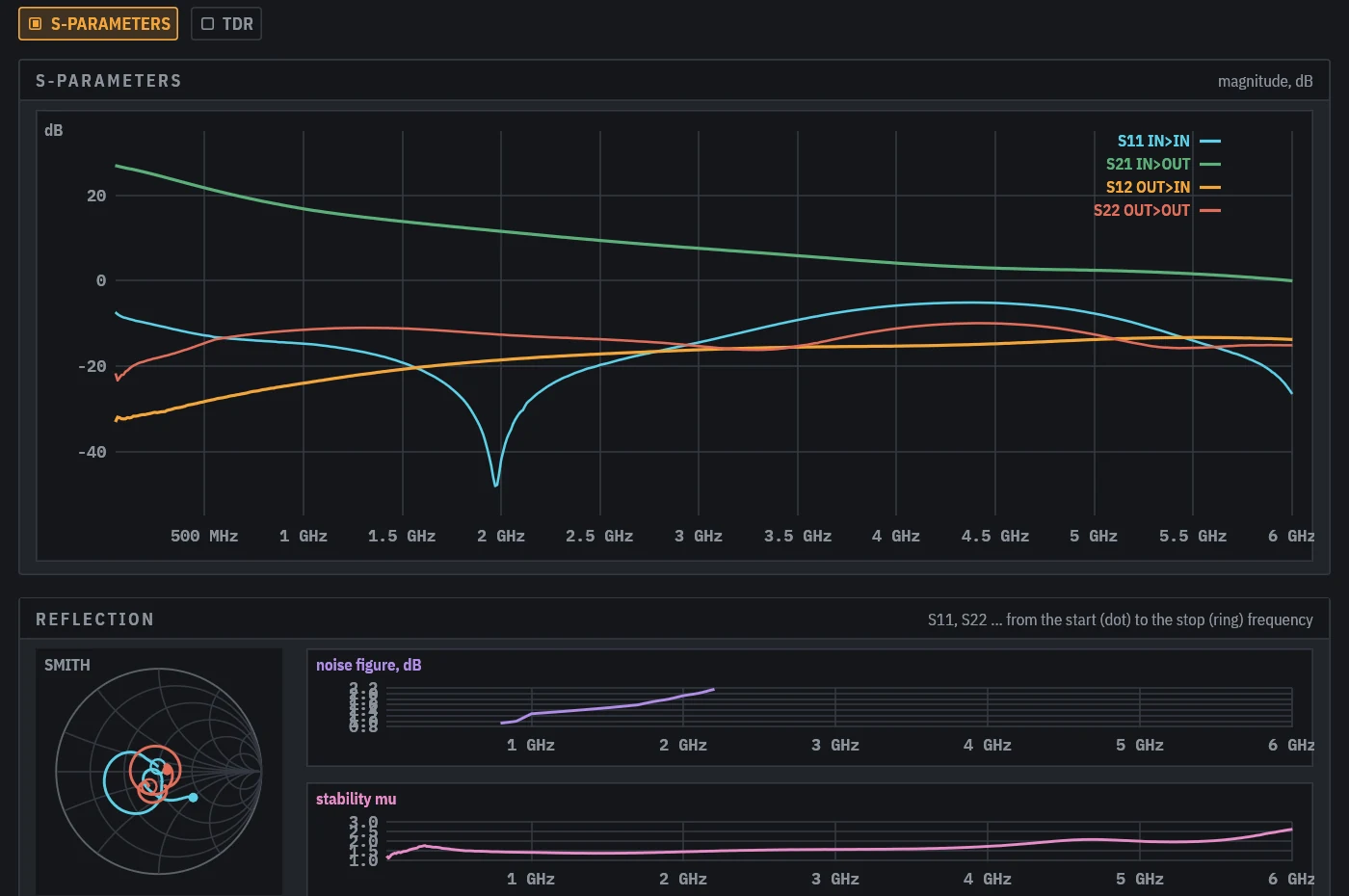
Vendor S-parameters, noise and linearity dropped into the board sim: gain, noise figure, IIP3 and stability.
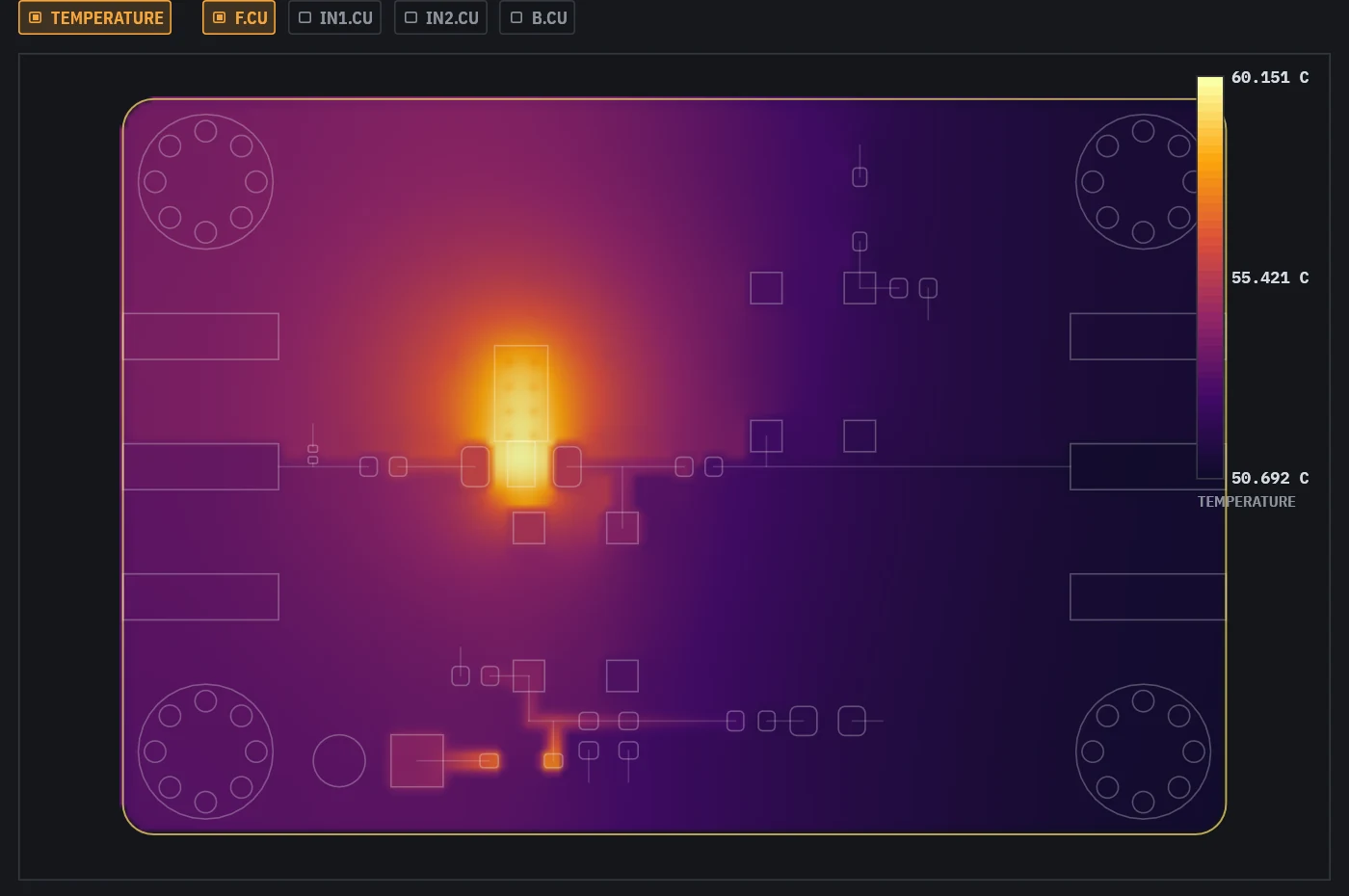
Thermal
Conduction through FR4, copper and vias with convection from both faces. Seconds, not minutes.
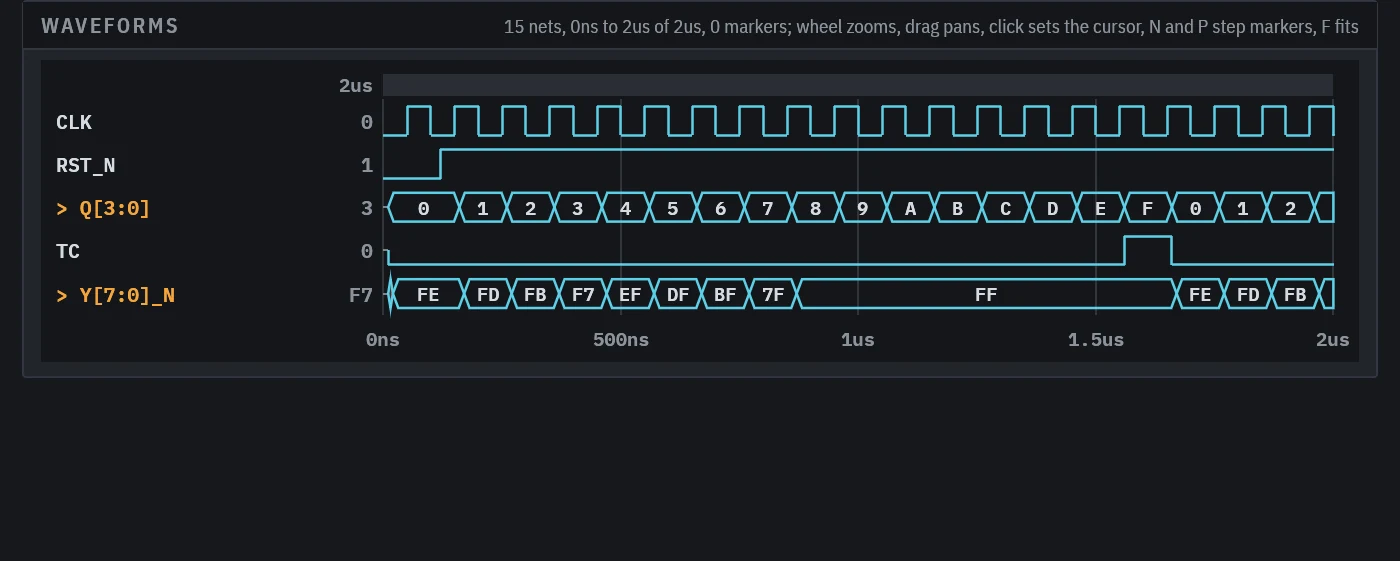
Logic
An event-driven sim of the schematic’s digital parts with 74 series models, assertions and setup and hold checks.
FDTDCascadeChannel and eyePDNDC dropThermalLogic
FDTD is the expensive one: the LNA’s six port run took 27 minutes on a workstation GPU. agentee sim NAME --dry-run prints the grid and run count in a second, so the agent can size a run before it starts one.
Made for the agent you already use
The skill teaches the loop, the order to build a design in and the traps in the format. The MCP server gives clients that speak it the same operations as tools, with renders returned as images.
The skill
npx skills add https://agentee.shThe MCP server, in Claude Code
claude mcp add agentee -- agentee mcp "$PWD"In Codex
[mcp_servers.agentee]
command = "agentee"
args = ["mcp", "/path/to/project"]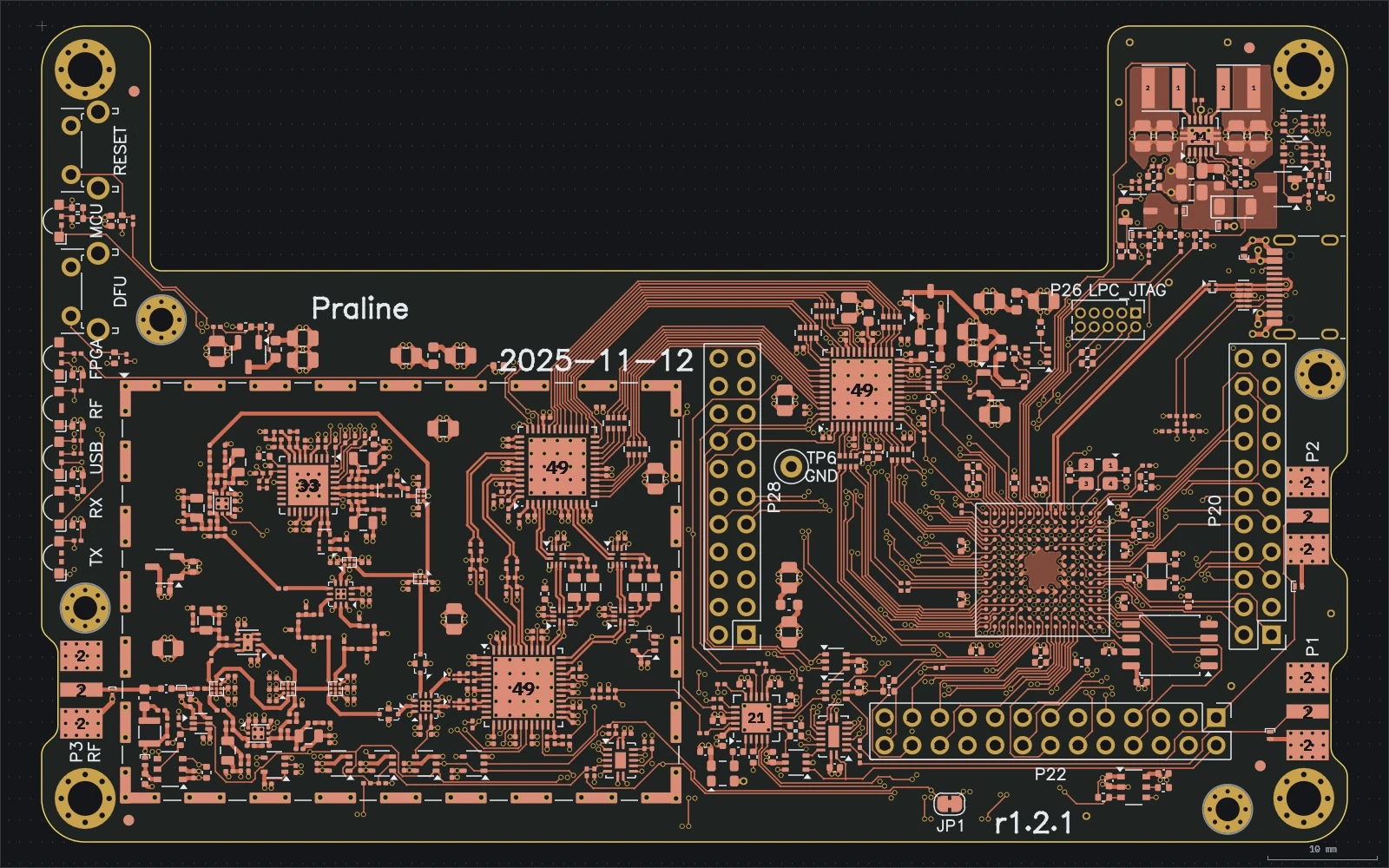
agentee viewA person stays in the loop
agentee view opens a window that reloads whenever a file changes, so you watch the board take shape while the agent works. On a layout you can move parts, route tracks and place vias by hand, and saving writes them into the same TOML the agent reads next.
Out the door
agentee fab refuses while the layout has errors. Once it is clean it writes a package a fab accepts as is, with the agentee version and commit in the silk so every board says what built it.
agentee parts prices the BOM at Mouser and Farnell and finds cheaper parts that keep the value, package, rating and dielectric. agentee export writes the board and every part model as one STEP for the enclosure.
F_Cu.gbr … B_Cu.gbr- Copper per layer, RS-274X with X2 attributes
F_Mask, F_Paste, F_SilkS- Mask, paste and silk for each side
drill-PTH.drl, drill-NPTH.drl- Excellon drills, one file per via span on HDI boards
bom-jlcpcb.csv, cpl.csv- BOM and placement in the columns JLCPCB asks for
NAME.d356- IPC-D-356 netlist for the bare-board test
fab-notes.txt- Stackup, impedance classes, via types and what to fill
NAME-gerbers.zip- Everything the fab needs, ready to upload
Start with a board you already understand
Install it, give your agent the skill, and ask for something small: a breakout, a power supply, a sensor node. Watch it in the viewer and read what check says.